External CS2 ESP & Web Radar for Counter-Strike 2
The Ultimate Counter-Strike 2 ESP — Now with Web Radar
Experience unparalleled visibility with our original ESP overlay, spectator list, and real-time web radar accessible from another browser-enabled device.
What Is the CS2 External ESP?
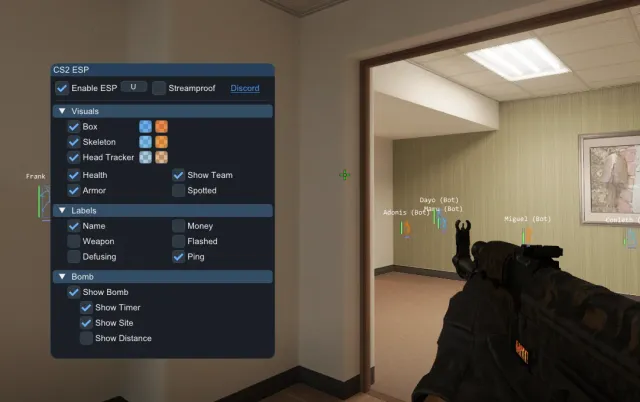
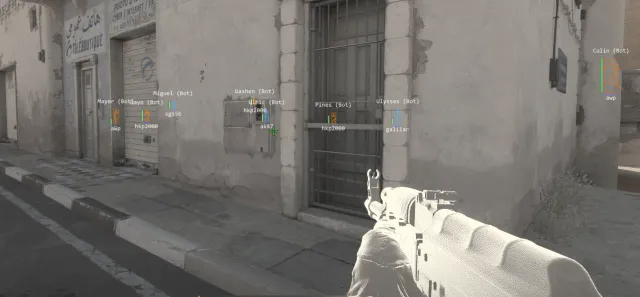
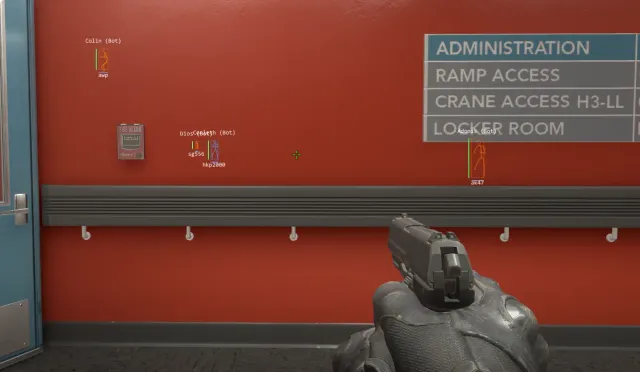
CS2-ESP is a Windows external overlay for Counter-Strike 2. It can display player boxes, skeletons, health, armor, weapons, names, and distance in a separate visual layer over the game.
The included web radar shows live player, loadout, and bomb data on another browser-enabled device. The overlay also includes custom colors, a movable spectator list, bomb status, keybinds, transparency controls, and streamproof display options. The ESP overlay and Web Radar can run together at the same time.
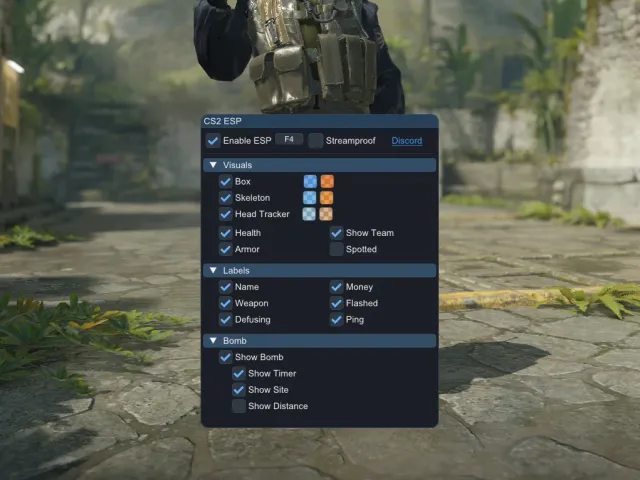
The launcher detects CS2 and starts the overlay automatically. Its menu lets you toggle visual features, choose separate team and enemy colors, assign keybinds, and save your configuration between sessions.
Use the view that fits your setup
The desktop overlay keeps information on the same screen as CS2. Web Radar puts the map view in a browser, so it can sit on a second monitor, a phone, a tablet, or another browser-enabled device. You can use either view on its own or keep both open during the same session.
Keep the screen as simple as you want
Not every match needs every option. Turn individual labels and indicators on or off, hide team information, adjust transparency, or change colors until the display is easy to read. Your choices are saved automatically, so you do not have to rebuild the layout each time you start the launcher.
Getting Started
After downloading the launcher, start it and then open Counter-Strike 2 normally. The overlay appears when the launcher detects the game. Press INSERT to open its menu, or use the configurable quick-toggle key when you want to clear the display without closing the launcher.
Web Radar starts from the same launcher and provides a session link for the browser view. Keep the launcher running while the radar is in use. If a view does not appear or update, the documentation walks through the common checks without making you hunt through unrelated instructions.
Common Questions
Does Web Radar replace the ESP?
No. Web Radar is a companion view. The browser radar and game overlay can stay active together, or you can use whichever one makes sense for your screen setup.
Can I open the radar on another device?
Yes. Open the session link supplied by the launcher in a compatible browser. That makes it possible to keep the map off the main game screen or share the live view with your party.
Is the overlay injected into CS2?
No. It runs as an external overlay rather than injecting code into the game process. Third-party game software still carries account risk, so that distinction should not be treated as a guarantee against enforcement.
FEATURES
Player ESP
See all players through walls with customizable boxes, health bars, and distance indicators.
Weapon ESP
See the weapon each player is currently carrying through clear, recognizable icons.
Radar Overlay
Plot player locations on the in-game minimap using automatically detected HUD and radar settings.
Spectator List
Displays a live list of players currently spectating you. The panel can be resized and moved anywhere on your screen.
External Overlay
Runs as an external visual overlay without injecting code into the game process. Third-party software still carries account risk.
High Performance
Optimized to minimize performance impact while the overlay and Web Radar are running.
Customizable
Full control over colors, styles, and display options to match your preferences.
Auto Updates
Receive compatibility updates through the launcher when CS2 changes require an adjustment.
Web Radar
Open a browser-based map for your party with player loadouts, bomb location, and active bomb timing.
GALLERY